Showing posts with label Geeking out. Show all posts

08 September 2013

So what am I up to recently?

The quiet once again beckons.

I'm sitting in a completely dark room. The modem glows its customary yellow and blue lights to indicate that somewhere out there, fields of data is being transmitted as if by magic into my computer and these words that I'm typing are being transmitted out. My MacBook Air keyboard glows, making my job of hunting keys a little easier. Scary, huh? No wonder why our ancestors probably thought any new inventions were the works of the Devil.

[That said, I've got my eye on Chromebooks but the only one offering backlit keys is the Chromebook Pixel and it's OMG, SO EXPENSIVE!]
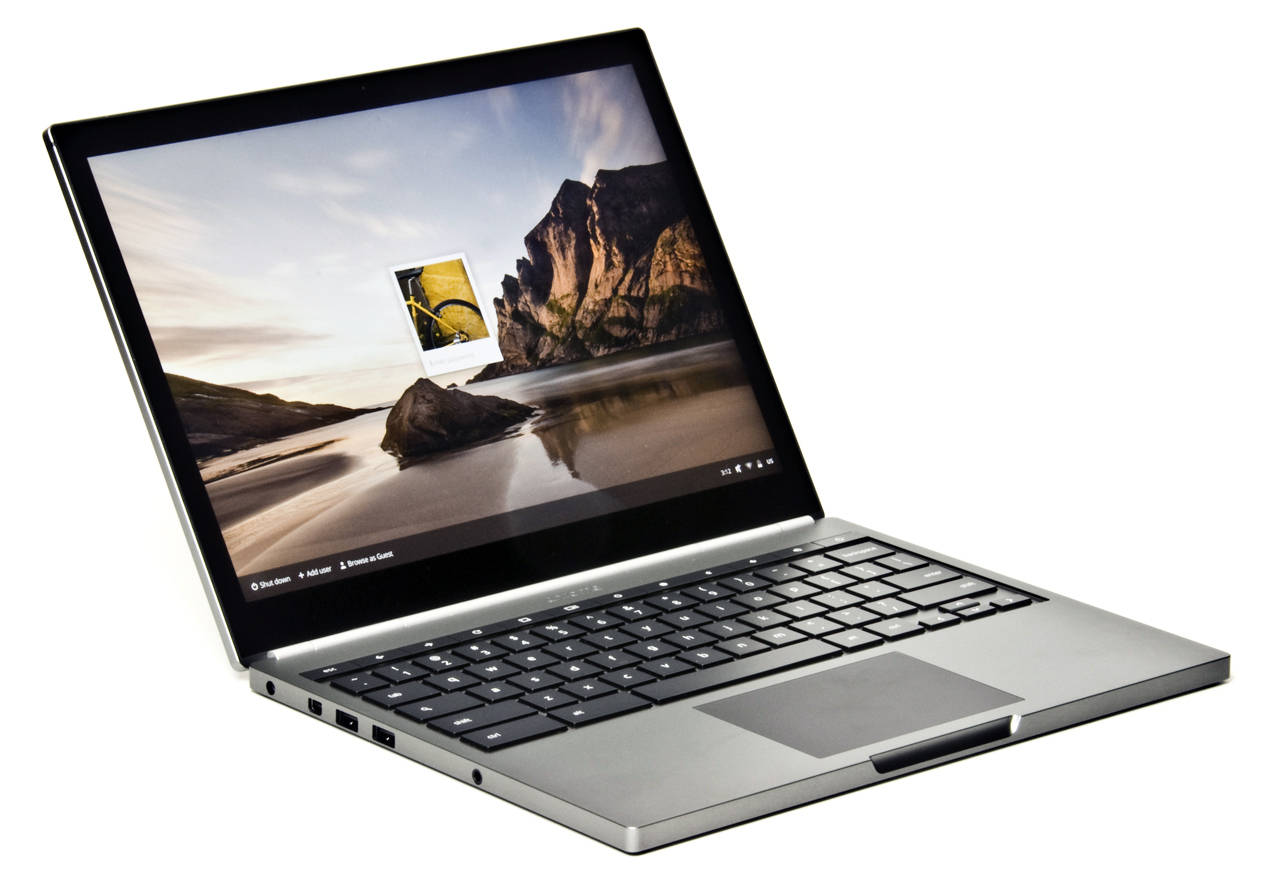
Sooo. Pretty. Courtesy of regmedia.co.uk
I'm making it more of an aim now to do at least one consistent blog post a week and making sure that I'm not just typing rubbish/gibberish to fill up the space.

I'm also typing in a webapp called Writer (really cool app on the Chrome Web Store, by the way, but focuses on minimalism so using pics or videos and YouTube links isn't exactly possible) so there may be only words and nothing more to entertain you. I'm sure you understand, yes?

Nothing much has been happening as of late here in Merlion City. The Company is apparently, pretty impressed that I was able to lecture to the public regarding knee osteoarthritis (they somehow managed to miss the part where I wrote state representative - public speaker in the 'ole CV) and they're gonna sit down and discuss my "future" in the Company. Scary and yet, I can't really give a damn.

Dance, as usual, is awesome and I'm still loving every second of it. I only wished that it would grow at an exponential rate and really kick things off here in Merlion City.

I'm also joining the Commando Challenge, which is an obstacle race in December set by 2 ex British SAS officers - should be fun. That said, I need to get my fitness levels up to speed and nothing more exciting than a possible chance of death by mud pit, I guess? The Brother and I are doing a Burpee Challenge where we start off with Day 1 and the 1st burpee and increase it by a burpee per day. So Day 10, 10 burpees. Day 65, 65 burpees. Good heavens, that will be fun when it gets to that point. Also told the brother that videos would need to be taken in the event that one of us starts becoming less accountable than usual.

The Girlfriend is home from a weeklong holiday and I'm excited that I get to hug her to sleep tonight.

Oh wells, that's it then. Time for cuddles.

Tootles.

01 August 2012

Daydream


It's easier to daydream. 


A man repeatedly tries to commit suicide by throwing himself over the edge of a cliff. But every time he is hurtling towards his impending doom, a breeze would swoop by and like a gentle giant's hand, would cradle him and lower him to the ground.

Frustrated at his efforts, he tries other avenues to achieve success. Razor blades, insane amounts of bleach and other household cleaning liquids not meant for human consumption, bullets by the cargo load, everything failed.

And at the climax of another miserably failed attempt to kick the mortal coil, he screams out in desperation, "Why?"

And out of the quietness, out of the hovering darkness around him, a quiet voice whispers, "You sure you wanna do this?"

***

It's been easier to daydream.

My phone crapped out on me 2 weeks ago and since then, I had to use GrannyGoose's old Blackberry. And I ended up loving it.

One thing I'm really liking about Blackberry phones at the moment is the fact that its plain and simple. No funky graphics, no complicated gizmos. Really plain and simple. I even got used to the physical keyboard which was something I absolutely despised previously. But now, even with my big flash phone back on me, I'm pining slightly for the long battery life, the keyboard which allows me to type EXACTLY whatever I want, phone calls that are clear and non complicated, and best of all, the NON TOUCHSCREEN display. Never thought that would be an issue for me but it ended up being a huge thing.

I also liked it because I stopped looking at my phone every time I got a little bit bored. I had to tell myself that I will check my rss feeds, comics, and such other activities when I get to a computer. Prior to that, I would stick to having a physical book in hand or actually attempting to make conversation with the people around me. That failing, I started reading a lot more. Heh.

Browsing for Blackberry phones is such a drag though. Its a dying ecosystem and I know that it'll probably drive itself to extinction pretty soon. Unfortunate.

But its easier to daydream.

I used to struggle to daydream. I would sit and gaze off into space and then get distracted when my phone buzzes to check another Whatsapp message. I could GChat whenever I wished. I could browse the Net, surf 9gag, pick up tips from Lifehacker, chuckle on Cracked, and catch up on all the tech goss with the Engadget widget. But then I found out that I was literally connected all the time. That scared me a little.

Now, I find that I can drift off into a lapse where I can play out scenarios in my head once again. It's nice to be able to do that. It really is.

***
On that note, I'm incredibly tired.

Probably of all the computer screen staring that I've been doing today.

So tootles for now.

05 June 2012

Issues with Copy/Paste formatting

So this blog is completely gonna turn tech geek which is probably what I would have done in a past life (me loving computers and all that) so I'm gonna talk about a certain little issue that I came across at the Office today.

GrannyGoose had an issue with her Microsoft Outlook where she would usually copy and paste an Excel table into a new mail message that would send a report to all staff members. However, whenever she copied and pasted the message, there would be not table drawn and it would all be in plain text. This would also happen if she was to copy and paste any text from any Microsoft Office applications (Word, Excel, etc).

After searching Almighty Google, I came across this link.

If you're facing a similar problem with copy and paste functionality especially involving Word and Excel, the Skype "Click to Call" add-on that you might have updated to your current internet browser can be causing the problem. So says the above link.

Apparently, this has also been fixed by Skype and they have launched a new build of the add-on that resolves this issue. However, if you're still facing a problem with copy/paste and losing the text formatting in the process, try closing your internet browser and copy/paste again. It will temporarily solve the problem. Again, it doesn't matter which browser you're using because ALL browsers are affected. Bummer, huh?

Good ole' Microsoft have also come up with a support page to assist with this issue as well. 

The way to solve this issue for now is to either

1. Disable the Skype "click to call" add-on via your internet browser settings

 or

2. Uninstall Skype "click to call" add on via your Control Panel "uninstall a programme" link.

Supposedly, the fix will be silently updated by dear Skype but until then, if you're not a frequent Skype Caller from Internet Browser, you should be sweet.